Before you can sell anything inside MONDAi — courses, coaching packages, templates, subscriptions — Stripe needs to be connected. It's the payment processor that sits between your client's credit card and your bank account. The connection itself takes about five minutes.
Stripe is the payment infrastructure GoHighLevel-based platforms use natively, which means the connection is direct and the setup path is straightforward. If you already have a Stripe account, you're most of the way there.
Before you startYou need: a fully verified Stripe account with banking details, and your MONDAi account open as an admin. Stripe holds payments until your account is verified — connect a fully verified account from the start.
Steps
1
Go to Settings → Payments
In the left sidebar, click the gear icon. Select
Payments or Payment Integrations.2
Find the Stripe integration
Locate the Stripe option in the list of available payment providers.
3
Click Connect with Stripe
This opens a Stripe OAuth window. You may be prompted to log in to your Stripe account.
4
Select the correct Stripe account
If you have more than one Stripe account, confirm you're connecting the right one.
5
Authorize the connection
Click Connect or Authorize on the Stripe screen.
6
Confirm the connection status
Back in MONDAi, Stripe should now show as Connected with a green status indicator.
7
Run a test transaction
Before sending any live order form to a client, use Stripe's test mode to confirm the connection is working. Use test card number
4242 4242 4242 4242.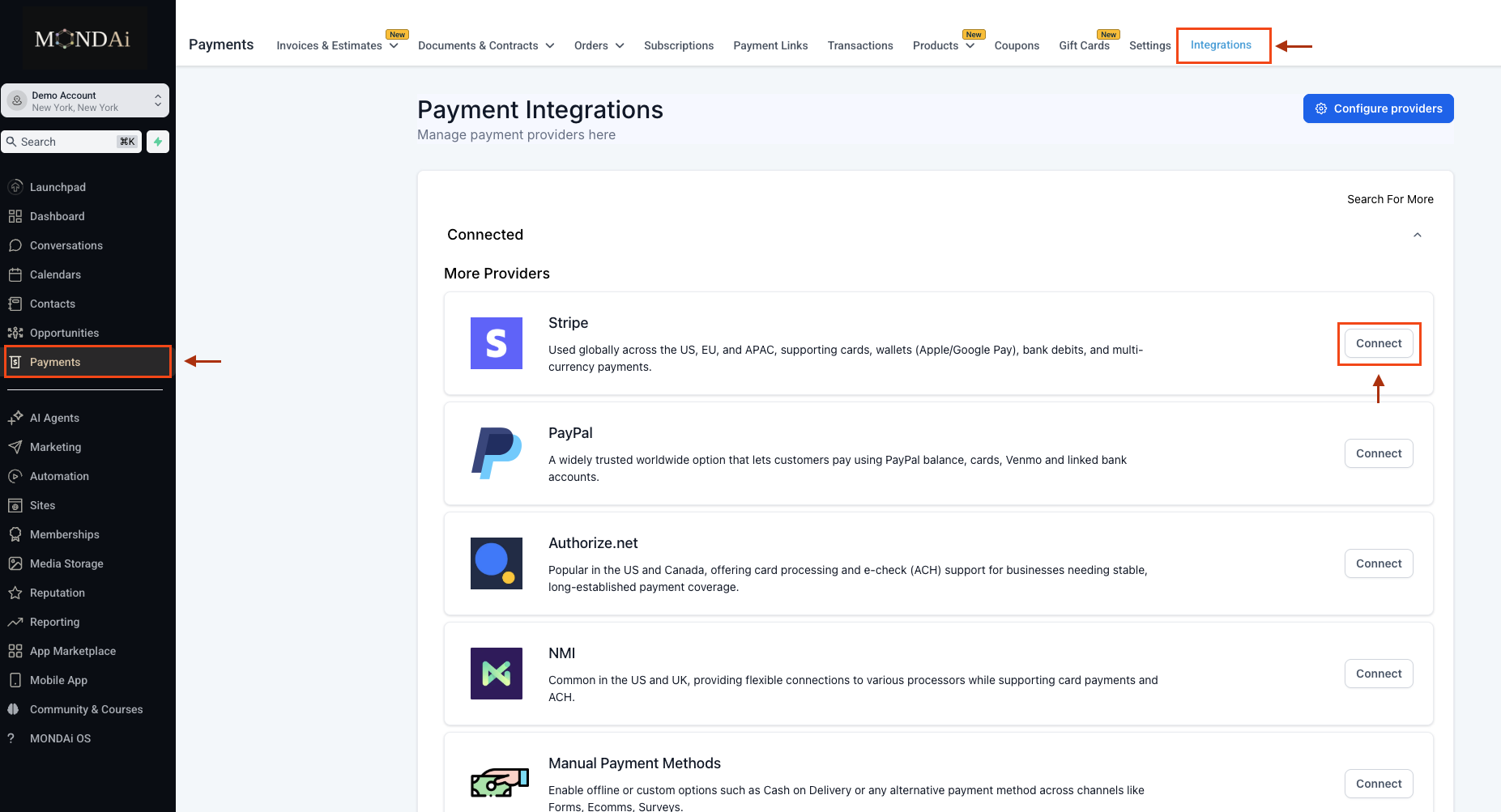
TipAfter authorizing, look for a green Connected badge next to Stripe in your Payments settings — that's your confirmation that payments can be processed. If you don't see it, refresh the page and check again.
Common Mistakes
- Connecting Stripe before your account is verified — payments are held until verification is complete.
- Selecting the wrong Stripe account during the OAuth step.
- Skipping the test transaction — assume nothing, run a test before directing any real client to checkout.
- Confusing the Stripe connection with product setup — connecting Stripe enables processing, creating a product is what you're charging for.
Next Steps
- How to Create Your First Product — the next step before your first sale
- How to Build Your First Funnel — where your product connects to a checkout page
You're building something real
Everything you need. One platform. $44/month.
Email, funnels, courses, community, CRM, and ALMA OS as your AI co-creator. No platform fees. No per-feature pricing.
Start Building →getmondai.com · No contracts · Cancel anytime
Still stuck?
→Search the ALMA OS Help Center
→Email support@getmondai.com with a Loom video
→Ask inside the ArchiTech Channel